<?xml version="1.0" encoding="utf-8"?><feed xmlns="http://www.w3.org/2005/Atom" xml:lang="en"><generator uri="https://jekyllrb.com/" version="4.4.1">Jekyll</generator><link href="https://beritens.github.io/feed.xml" rel="self" type="application/atom+xml" /><link href="https://beritens.github.io/" rel="alternate" type="text/html" hreflang="en" /><updated>2026-10-09T19:23:12+00:00</updated><id>https://beritens.github.io/feed.xml</id><title type="html">Ben Richter</title><subtitle>Ben Richter&apos;s portfolio.</subtitle><entry><title type="html">Spline Grind (with demo)</title><link href="https://beritens.github.io/posts/SplineGrind/" rel="alternate" type="text/html" title="Spline Grind (with demo)" /><published>2025-08-20T11:00:00+00:00</published><updated>2026-10-09T19:22:28+00:00</updated><id>https://beritens.github.io/posts/SplineGrind</id><content type="html" xml:base="https://beritens.github.io/posts/SplineGrind/"><![CDATA[<p>The game!</p>
<div class="demo-frame" id="spline-demo">
  <div class="demo-loader" role="status">Loading Spline Grind…</div>
  <canvas id="bevy" width="1200" height="600" tabindex="0" aria-label="Spline Grind interactive game. Move the mouse near the line to move the ball.">Your browser does not support the game canvas.</canvas>
</div>

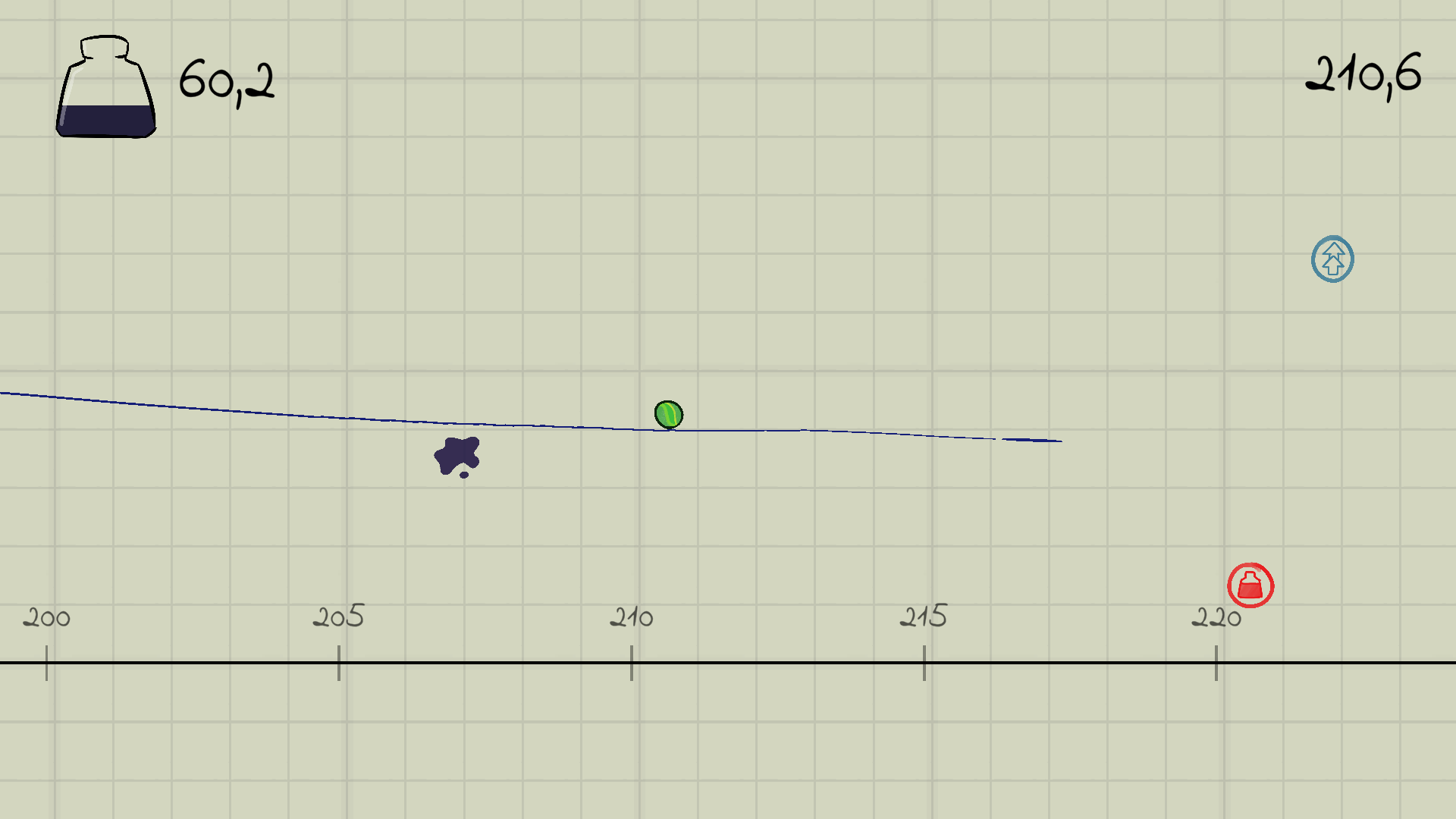
<p>In the Computer Graphics 2 course at TUB, we discussed B-splines. To become more familiar with the concept (and because I had a fun game idea), I decided to experiment with a game mechanic using B-splines.</p>

<p>Instead of directly controlling the player, the mouse influences the world around them. Over time, you develop a sense of how to use this mechanic to make the player move and jump. I think this could make for a really fun platformer.</p>

<h1 id="how-it-works">How it works</h1>

<p>I used <a href="https://bevy.org/">Bevy Game Engine</a> to create this—mostly because I wanted to learn Rust, but also because it offers a lot of freedom.</p>

<p>The line is composed of many control points that move when the mouse gets near. The line is then constructed using the B-spline algorithm (de Boor’s algorithm). Collisions between the ball and the line are calculated and handled in a custom physics engine.\</p>

<p>There are still some issues—for example, the ball can sometimes glitch through the ground. There are neat tricks that could solve this problem, but honestly, I lost interest after the course ended.</p>

<p>I’m still leaving the demo here for your enjoyment. Maybe I’ll continue working on it someday.</p>

<script src="/assets/SplineGrind/load.js" type="module"></script>]]></content><author><name></name></author><category term="showcase" /><category term="game" /><category term="web" /><summary type="html"><![CDATA[The game! Loading Spline Grind… Your browser does not support the game canvas.]]></summary></entry><entry><title type="html">Web Slinger (with demo)</title><link href="https://beritens.github.io/posts/webslinger/" rel="alternate" type="text/html" title="Web Slinger (with demo)" /><published>2025-02-22T11:00:00+00:00</published><updated>2026-10-09T19:22:28+00:00</updated><id>https://beritens.github.io/posts/webslinger</id><content type="html" xml:base="https://beritens.github.io/posts/webslinger/"><![CDATA[<h1 id="a-fun-little-browser-extension-">A fun little browser extension <img alt="🏁" class="yt-core-image yt-core-attributed-string__image-element yt-core-attributed-string__image-element--image-alignment-vertical-center yt-core-image--content-mode-scale-to-fill yt-core-image--loaded" style="height: 24px; width: 24px;" src="https://www.youtube.com/s/gaming/emoji/7ff574f2/emoji_u1f3c1.png" /></h1>

<script src="/assets/js/add_script.js"></script>

<p>Don’t you think websites have become a bit boring? <br />
Don’t you rather want to play a game instead of actually reading? <br />
Probably not, but here’s an extension that does it anyway.</p>

<p><br /></p>

<p>This is just a test page to play around with the mechanics without <br />
the need for downloading the extension. <br />
And it is still early in development…<br />
A lot will change, but I will keep the old version running on this page<br />
to actually experience what changes. Basically a very interactive devlog.<br />
The extension allows you to jump and swing around on any webpage.</p>

<p><br /></p>

<p>So… let’s begin. Press the button to start the game: <button onclick="addScript()">Click me</button></p>

<p>As you can see, a character appeared at the top of the page. Try to jump down -&gt; here &lt;- <br />
The controls are very much inspired by the game “Getting Over It.”</p>

<p><br /></p>

<p><br /></p>

<p>Try to get familiar with the controls. Here’s a challenge: jump              over this gap. You can do this!</p>

<p><br /></p>

<p><br /></p>

<p><br /></p>

<p>But there’s more. You can also swing around (hence the name). Left click to shoot a rope.<br />
You can hook on text and swing around by moving your mouse.<br />
You can even move the mouse down to pull yourself up.
<br /></p>

<p><br /></p>

<p><br /></p>

<p><br /></p>

<p><br /></p>

<p><br /></p>

<p>Now you can cross even bigger gaps                                       This should be easy.</p>

<p><br /></p>

<p><br /></p>

<p><br /></p>

<p><br /></p>

<p>That’s it. A simple concept but imagine all the possibilities. <br />
YouTube comments filled with levels. <br />
A dedicated subreddit where levels can be rated. <br />
Just swinging around on random pages when you are bored. <br />
So there’s basically already a level editor and a rating system! <br />
And I don’t have to do any networking stuff!</p>

<p>Of course, just swinging around everywhere is kinda overpowered. <br />
To introduce some difficulty, you are not allowed to hook special characters:</p>

<pre style="line-height: 1; overflow: hidden">
##############################################################                         ############
#                                                                                                 #
#                                                                                                 #
#                                                                                                 #
##################                                                                                #
#                #                             ####################################################
# Here's a small #                                                                                #
# parkour for    #                                                                                #
# you. Have fun  #                                                                                #
#                #                    #####                                                       #
##################                                                                                #
#                                                                                                 #
#                                                                                                 #
#                                                                                                 #
#                                     #####       #####      ####       #         #               #
#                                                                       #         #               #
#                                                                       ###       #               #
#                                                                       #         #               #
#                                                                       #         #               #
#                                                                       #         #               #
#                                                                       #         #               #
#                                                                       #        ##               #
#                          0                                            #         #               #
#                                                                       #         #               #
#                                                                       ###                       #
#                                                                                                 #
#                                                                                                 #
#                                                                                                 #
#                                                                                                 #
########                          #################################################################
       #                          #
       #                          #
       ##################         #
       #                          #
       #                          #
       #                          #
       #                          #
       #       #######################################################################
       #                                                                             #
       #    #                                                                        #
       #                                                                             #
       #                                                                             #
       #                                                                             #
       # Finally. The ⏱️️ emoji starts a timer and the goal is at the top of the page.#
       # You know what to do!                                                         #
       ################################################################################
</pre>

<p>That’s it for now. This is a small introduction to the game.
There are many interesting challenges to making this work in the browser, and everything builds on a custom physics engine, so there are definitely more topics worth writing about. Stay tuned! (maybe)</p>]]></content><author><name></name></author><category term="showcase" /><category term="game" /><category term="extension" /><category term="web" /><summary type="html"><![CDATA[A fun little browser extension]]></summary></entry><entry><title type="html">Grumpy Sword</title><link href="https://beritens.github.io/posts/GrumpySword/" rel="alternate" type="text/html" title="Grumpy Sword" /><published>2025-02-01T11:00:00+00:00</published><updated>2026-10-09T19:22:28+00:00</updated><id>https://beritens.github.io/posts/GrumpySword</id><content type="html" xml:base="https://beritens.github.io/posts/GrumpySword/"><![CDATA[<p><a href="https://beritens.itch.io/grumpy-sword">PLAY HERE</a></p>

<p><img src="https://img.itch.zone/aW1hZ2UvMzI2NjEwNy8xOTYyNDQwMC5wbmc=/original/xJT8V5.png" alt="image" />
<img src="https://img.itch.zone/aW1nLzE5NjI0MzY4LnBuZw==/315x250%23c/j4unv3.png" alt="image" /></p>

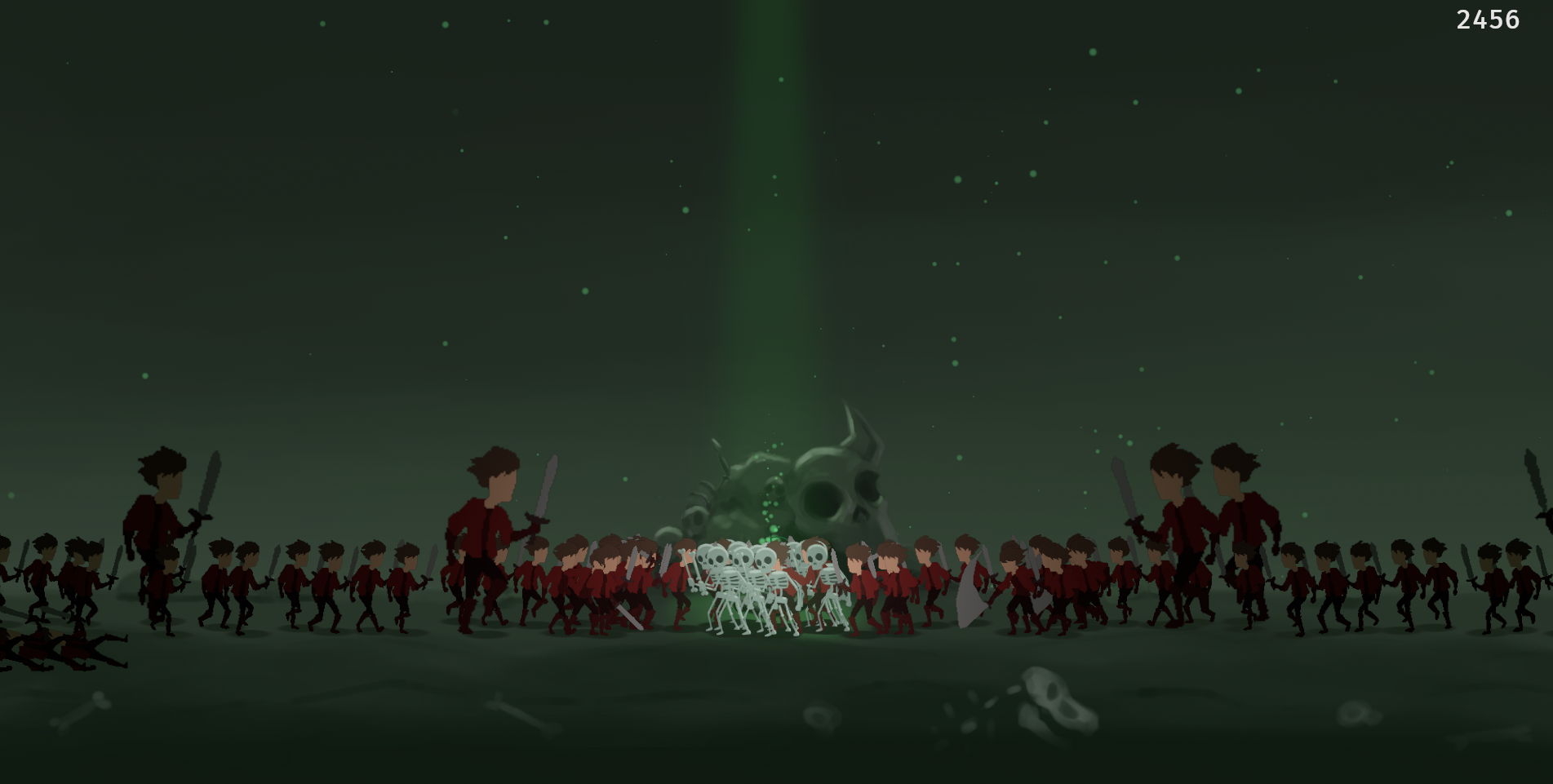
<p>This game was made for a game jam. A musician (named Anakken) and I created this game in a week.</p>

<p>And this is the first game I created with the <a href="https://bevy.org/">Bevy Game Engine</a>.
The fun of this game comes from the sheer number of enemies that spawn, and this is exactly where Bevy’s entity-component-system (ECS) really shines.</p>

<p>Even with such a short timeframe, the game is surprisingly complex and enjoyable. Using an ECS, we can create a few components like “Walking”, “Attacking”, or “Attackable”, and then write systems to handle their behavior. From there, it’s easy to experiment. Combining components in different ways quickly leads to a lot of variety and interesting mechanics.</p>

<p>This architecture made it effortless to explore possibilities, resulting in a very playful and satisfying development cycle. 10/10 would recommend.</p>

<p>I’m also very proud of the art. Paired with the music, it creates a cohesive and appealing atmosphere that received a lot of praise.</p>]]></content><author><name></name></author><category term="showcase" /><category term="game" /><category term="web" /><summary type="html"><![CDATA[PLAY HERE]]></summary></entry><entry><title type="html">Black Hole Basketball</title><link href="https://beritens.github.io/posts/BlackHoleBasektball/" rel="alternate" type="text/html" title="Black Hole Basketball" /><published>2021-10-01T11:00:00+00:00</published><updated>2026-10-09T19:22:28+00:00</updated><id>https://beritens.github.io/posts/BlackHoleBasektball</id><content type="html" xml:base="https://beritens.github.io/posts/BlackHoleBasektball/"><![CDATA[<iframe width="560" height="315" src="https://www.youtube.com/embed/TviJZazU2cw?si=0QSgKZB1-dcb6jl9" title="YouTube video player" frameborder="0" allow="accelerometer; autoplay; clipboard-write; encrypted-media; gyroscope; picture-in-picture; web-share" referrerpolicy="strict-origin-when-cross-origin" allowfullscreen=""></iframe>

<p>A fun physics-based puzzle game</p>

<p>I worked on this project during the time between school and university. Previous games I made used a lot of physics, but it always bothered me that Unity’s physics wasn’t deterministic.</p>

<p>That means that with the same initial conditions, the simulation could sometimes play out differently.
I then stumbled upon a hack that allows for determinism in Unity, and I used this knowledge to make a game.</p>

<p>The concept is quite simple. A ball is thrown very badly; there is no chance it will go in the basket. You then have to place black holes to change the trajectory and make it score.
This starts simple but gets very tricky in the end.</p>

<p>I went all out with the art. I had a lot of fun designing the characters and the environment. I even came up with a fun story featuring a scientist who just wants to use his invention to help his son play some basketball.</p>

<p>I published this on the Google Play Store and got a few downloads and nice comments. Sadly, a few years later, it got removed due to some policy issues.</p>]]></content><author><name></name></author><category term="showcase" /><category term="game" /><category term="web" /><summary type="html"><![CDATA[]]></summary></entry><entry><title type="html">Doodle Ball</title><link href="https://beritens.github.io/posts/DoodleBall/" rel="alternate" type="text/html" title="Doodle Ball" /><published>2020-09-01T11:00:00+00:00</published><updated>2026-10-09T19:22:28+00:00</updated><id>https://beritens.github.io/posts/DoodleBall</id><content type="html" xml:base="https://beritens.github.io/posts/DoodleBall/"><![CDATA[<p><a href="https://beritens.itch.io/doodle-ball">PLAY HERE</a></p>

<p><img src="https://img.itch.zone/aW1nLzI1NjA5NjAucG5n/original/QHbqsU.png" alt="image" /></p>

<p>This game was made for the Ludum Dare game jam together with my brother.
We only had 3 days to finish the game. It was stressful but a lot of fun.</p>

<p>We actually scored quite well (got 6th place in the fun category).
The game is quite simple: you draw a line and a ball rolls over it… get as far as possible.</p>

<p>This was also my first experience collaborating with someone on a coding project. It introduced me to working together using Git and Kanban boards. Today, I use these skills almost daily at work. They have become second nature to me. I owe it all to you, Doodle Ball.</p>]]></content><author><name></name></author><category term="showcase" /><category term="game" /><category term="web" /><summary type="html"><![CDATA[PLAY HERE]]></summary></entry><entry><title type="html">Arduino Tetris</title><link href="https://beritens.github.io/posts/Arduino_Tetris/" rel="alternate" type="text/html" title="Arduino Tetris" /><published>2020-01-04T11:00:00+00:00</published><updated>2026-10-09T19:22:28+00:00</updated><id>https://beritens.github.io/posts/Arduino_Tetris</id><content type="html" xml:base="https://beritens.github.io/posts/Arduino_Tetris/"><![CDATA[<iframe width="560" height="315" src="https://www.youtube.com/embed/YO13QOJmGeg?si=3ya4znitzE0ewCqq" title="YouTube video player" frameborder="0" allow="accelerometer; autoplay; clipboard-write; encrypted-media; gyroscope; picture-in-picture; web-share" referrerpolicy="strict-origin-when-cross-origin" allowfullscreen=""></iframe>

<p>This was a small project for the open house day at my school.
I programmed the classic game Tetris on an Arduino.
It was a great change of pace to also work with the hardware, such as wiring the screen and the input.
Working close to the hardware was a lot of fun, and it was delightful to see the nostalgia on the faces of parents and teachers who tried it.</p>

<p>Also, this was my first experience working with C++: <a href="https://github.com/Beritens/Arduino_Tetris">GitHub</a></p>]]></content><author><name></name></author><category term="showcase" /><category term="game" /><category term="web" /><summary type="html"><![CDATA[]]></summary></entry><entry><title type="html">Marching Cube Experiments</title><link href="https://beritens.github.io/posts/MarchingCubes/" rel="alternate" type="text/html" title="Marching Cube Experiments" /><published>2018-10-31T11:00:00+00:00</published><updated>2026-10-09T19:22:28+00:00</updated><id>https://beritens.github.io/posts/MarchingCubes</id><content type="html" xml:base="https://beritens.github.io/posts/MarchingCubes/"><![CDATA[<p><a href="https://beritens.itch.io/rollerball">PLAY HERE</a></p>

<p><img src="https://img.itch.zone/aW1hZ2UvMzI0MjE3LzE2NDM4NTMucG5n/original/RlqI13.png" alt="image" /></p>

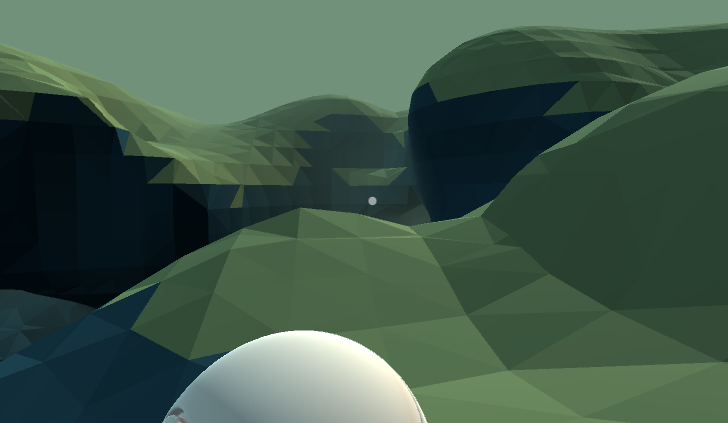
<p>This might be the project that made me fall in love with Computer Graphics.
At this point, I was still in school, and somewhere online I stumbled upon the Marching-Cubes Algorithm.
Being able to generate worlds with just some math was fascinating for me.</p>

<p>This also made me think a lot about performance. Generating terrains on the fly is quite expensive (at least the way I did it back then). To still accomplish acceptable frame rates, I had to learn about multithreading. Fun times.</p>]]></content><author><name></name></author><category term="showcase" /><category term="game" /><category term="web" /><summary type="html"><![CDATA[PLAY HERE]]></summary></entry><entry><title type="html">Buoyancy</title><link href="https://beritens.github.io/posts/Buoyancy/" rel="alternate" type="text/html" title="Buoyancy" /><published>2018-03-08T11:00:00+00:00</published><updated>2026-10-09T19:22:28+00:00</updated><id>https://beritens.github.io/posts/Buoyancy</id><content type="html" xml:base="https://beritens.github.io/posts/Buoyancy/"><![CDATA[<iframe width="560" height="315" src="https://www.youtube.com/embed/V-p8OZ-aTzM?si=-98qo9WpEm30Y-w6" title="YouTube video player" frameborder="0" allow="accelerometer; autoplay; clipboard-write; encrypted-media; gyroscope; picture-in-picture; web-share" referrerpolicy="strict-origin-when-cross-origin" allowfullscreen=""></iframe>

<p>This was the first game I ever published on the Google Play Store.</p>

<p>At the time, I was still quite new to Unity—but ambitious. The game itself is nothing special: a simple platformer with some fun buoyancy mechanics. But I had a bold idea: adding a level editor.
The funny part? I had no idea how to actually implement any of it. I ended up reinventing at least three wheels along the way.</p>

<p>I didn’t know how to serialize and save game data (these days I’d probably just use JSON), so I created my own file format and manually encoded all the level data.</p>

<p>I didn’t know what a database was, so I saved everything on a web server and searched through the file system with a messy PHP script.</p>

<p>I didn’t know how authentication works, so I built my own system that stores user data in plain text on the backend. I still cringe thinking about it!</p>

<p>But somehow, it all worked. I started this project because I loved games, and it ended up teaching me something even more valuable: it’s the problem-solving and creativity required in game development that truly fascinate me.</p>]]></content><author><name></name></author><category term="showcase" /><category term="game" /><category term="web" /><summary type="html"><![CDATA[]]></summary></entry></feed>